---
title: 註冊 TWCC 帳號 | zh
tags: Guide, Service, ZH
GA: UA-155999456-1
---
{%hackmd @docsharedstyle/twccheader-zh %}
{%hackmd @docsharedstyle/default %}
:::warning
<i class="fa fa-bullhorn" aria-hidden="true"></i> 若您的 [<ins>會員中心<i class="fa fa-question-circle fa-question-circle-for-service" aria-hidden="true"></i></ins>](https://man.twcc.ai/@twsdocs/howto-service-access-service-zh)不適用以下畫面或流程,請 <i class="fa fa-sign-out" aria-hidden="true"></i> [<ins>點擊此連結</ins>](https://man.twcc.ai/@twsdocs/doc-mber-pjct-blng-main-zh/https%3A%2F%2Fman.twcc.ai%2F%40twsdocs%2Fguide-service-signup-zh) 參考操作說明。
:::
# 註冊 TWCC 帳號
## Step 1. 開始註冊
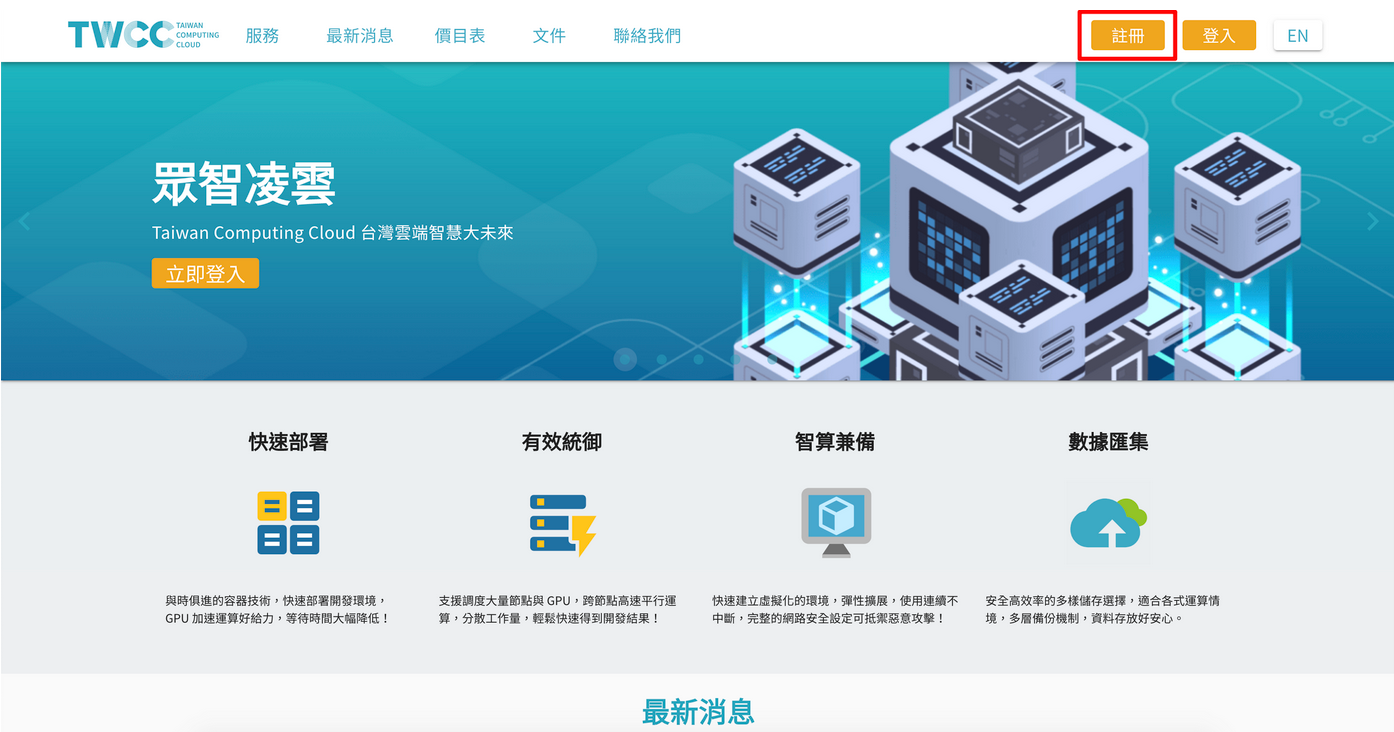
- 至 [TWCC](https://www.twcc.ai/),點選右上角 「註冊」
## Step 2. 閱讀個資及權利義務聲明
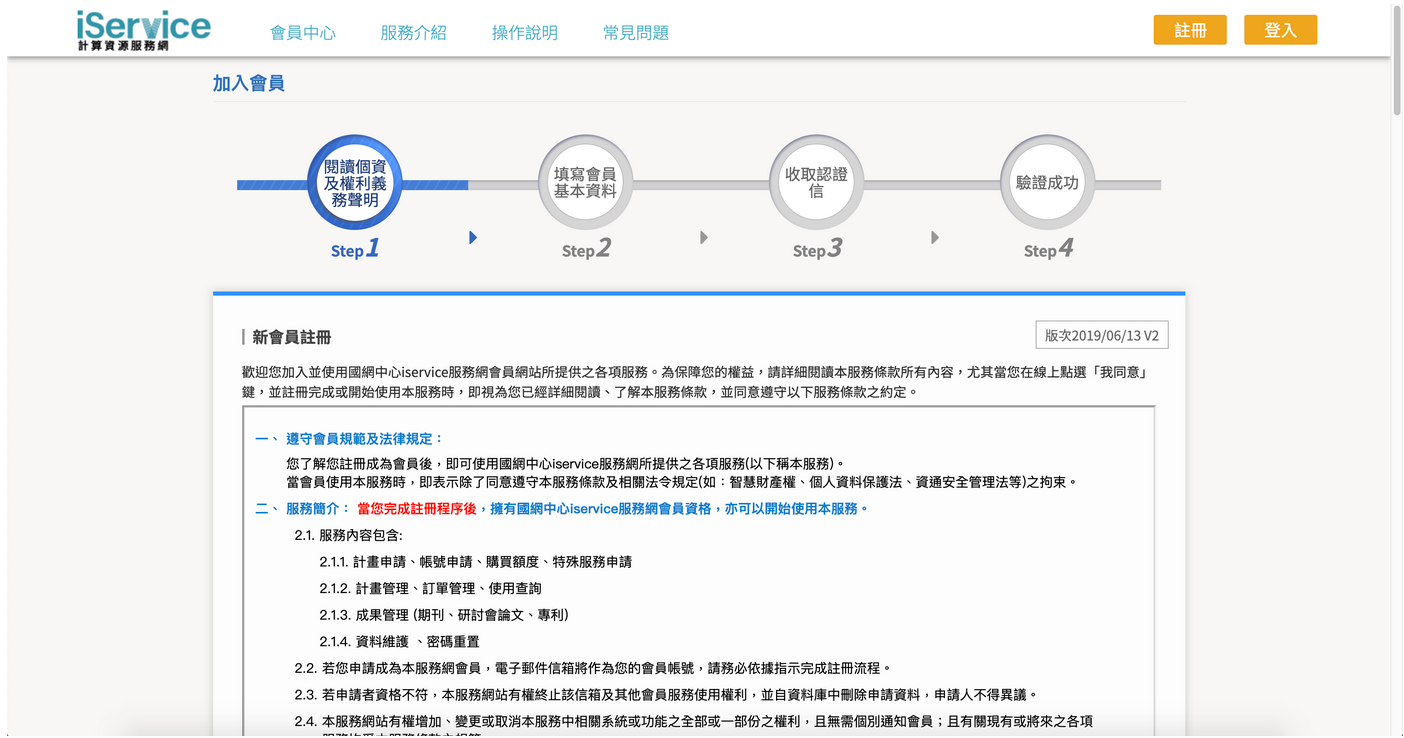
- 頁面跳轉至會員中心,請閱讀個資及權利義務聲明,並下拉頁面,點選「我同意」
## Step 3. 填寫會員基本資料
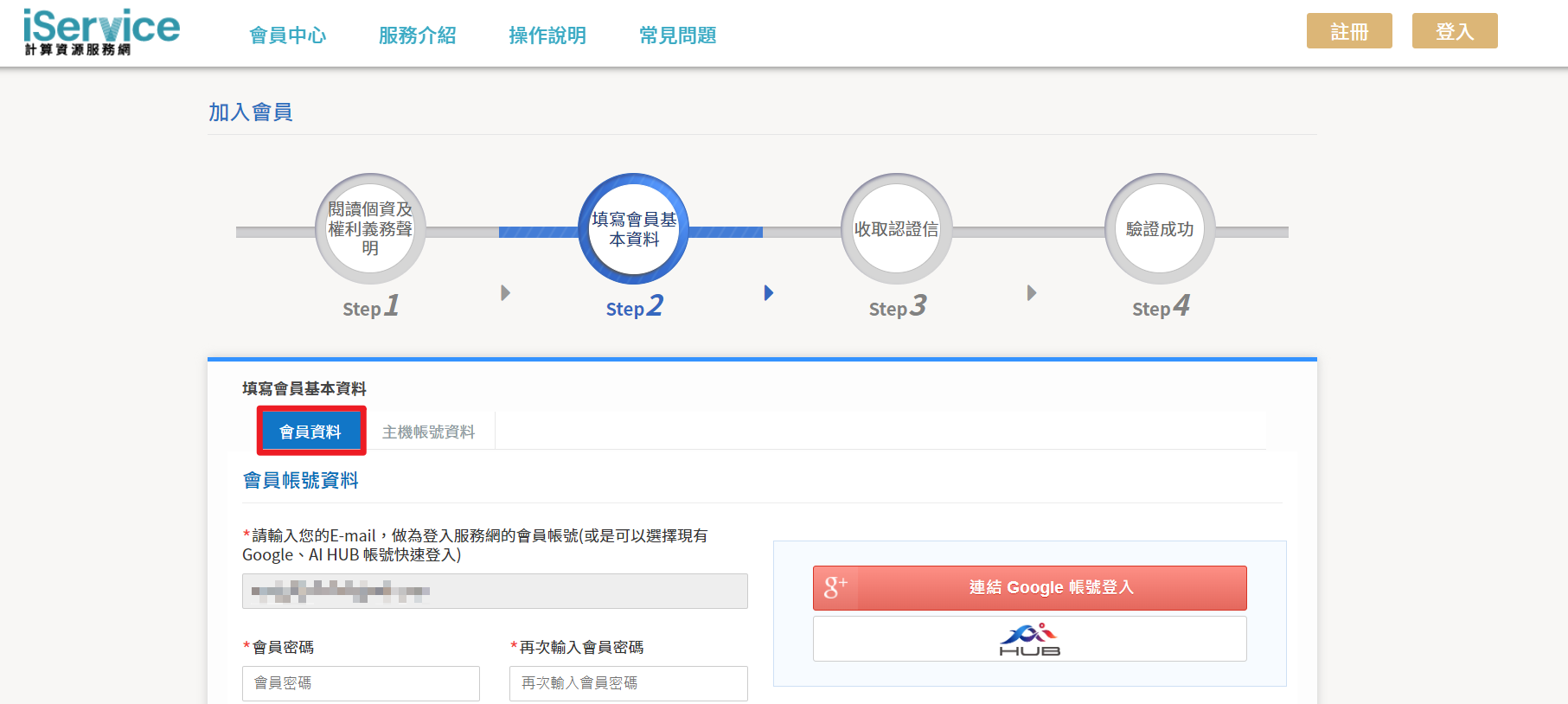
- 設定平台帳號密碼、填寫基本資料
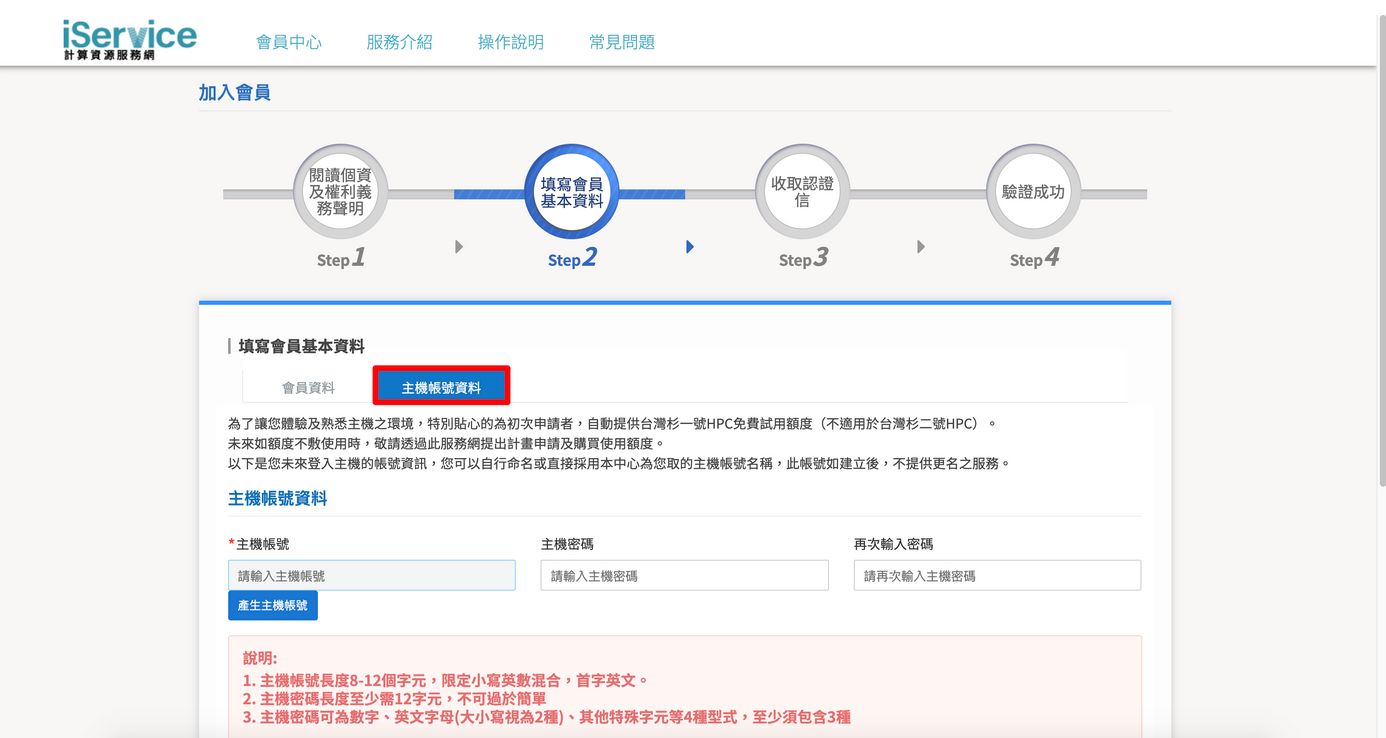
- 設定主機帳號密碼
## Step 4. E-mail、手機號碼認證
- 收取 e-mail 認證信箱、收取簡訊認證手機號碼,即完成註冊!
:::info
:bulb: 相關文件:[<ins>更改會員資料</ins>](https://man.twcc.ai/@twccdocs/guide-service-update-your-info-zh)、[<ins>重置使用者網站密碼</ins>](https://man.twcc.ai/@twccdocs/guide-service-reset-portal-pwd-zh)。
:::
:::danger
{%hackmd @docsharedstyle/important-zh %}
請洽客服人員了解免費試用計畫的適用範圍:
- Email: iservice@twcc.ai
- Toll free: 0809-091-365

:::