---
title: TWCC VIP Documents
tags: LINE, FSRO
GA: UA-155999456-1
---
{%hackmd M6cuwOmZRVOnPgz7d2-mAg %}
{%hackmd @tpl/draft_alert_en %}
:construction_worker: :point_right: [工作人員專用]( https://man.twcc.ai/7FgM2BFZRCmy9OplWjhbFg) :warning: 非請勿入。
# Filesystem RO Monitor
[TOC]
## Background
Filesystem in guest OS goes into RO (ReadOnly) mode randomly. We need to find out specific evidence and direction, so we can tune TWCC service more robust.
## Approach
using Line Notify for test case monitoring.
### Step 1. login to [LINE notify site](https://notify-bot.line.me/en/)
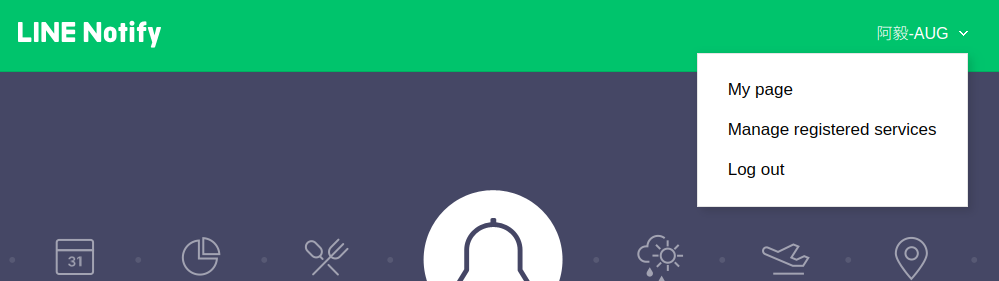
note:
- you need to register LINE for further configuration.
### Step 2. Generate Token
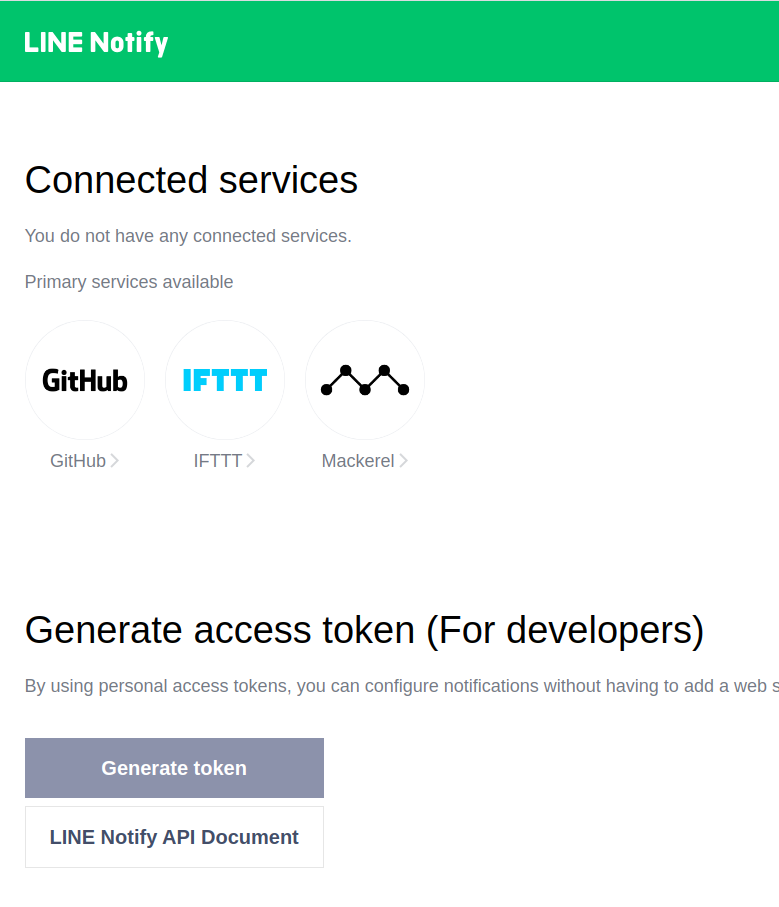
in order to generate access token, you need to choose which channel you want to notify.
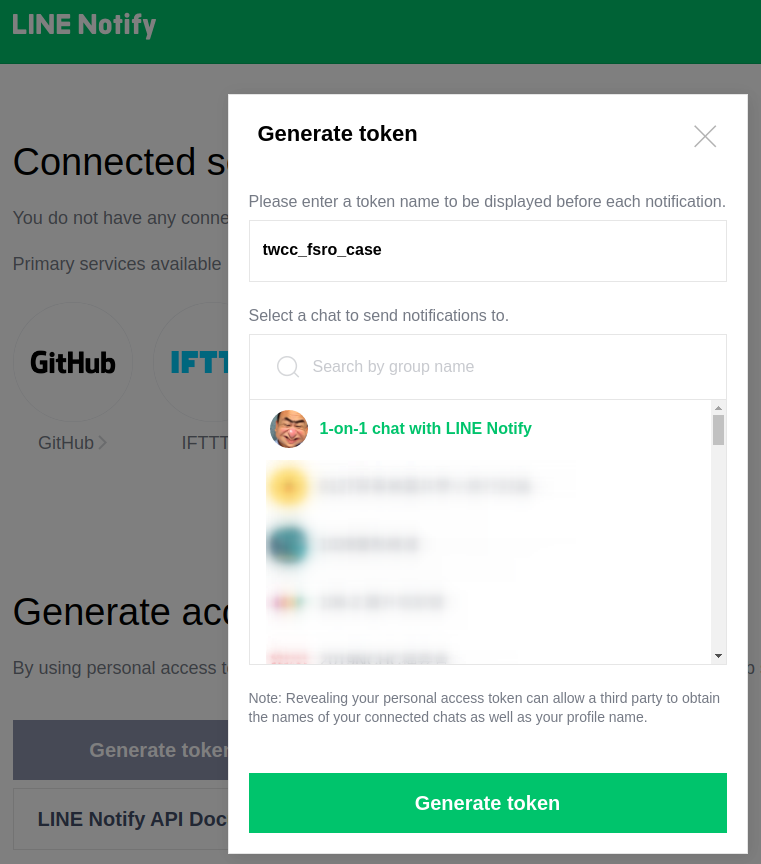
### Step 3. Select Channel for notify bot
There are two options:
1. 1-on-1 chat with LINE notify, which means personal usage.
2. Group chat. select a group that this LINE notifier will send notification to specific group so people will see the information.
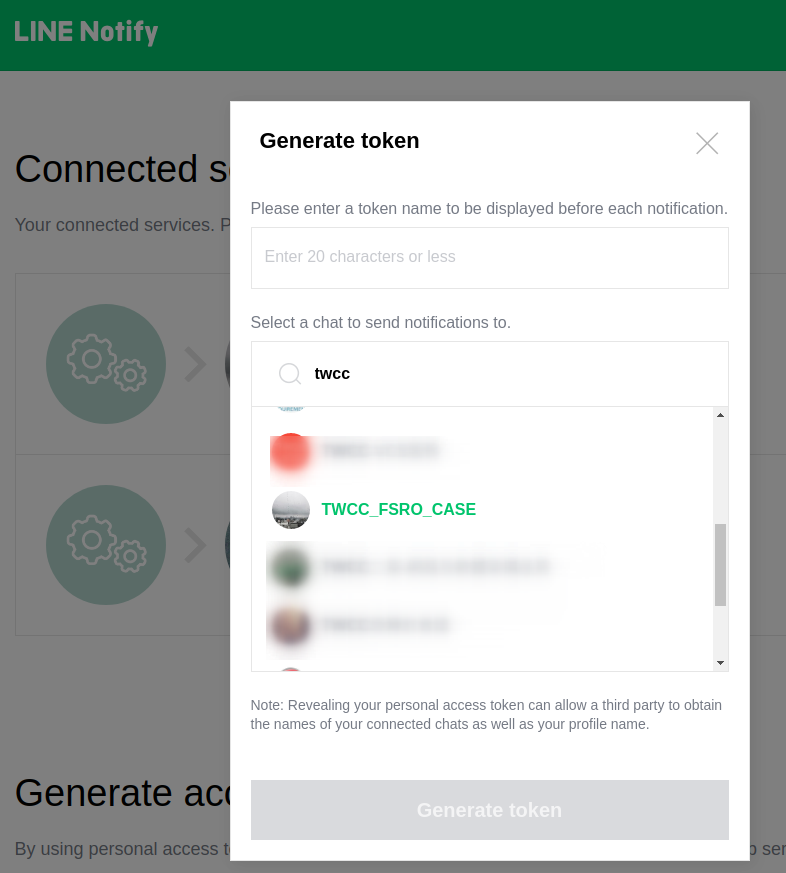
note:
- each access token has its own [limitation](#LINE-notify-limitation).
### Step 4. Copy Your Access Token
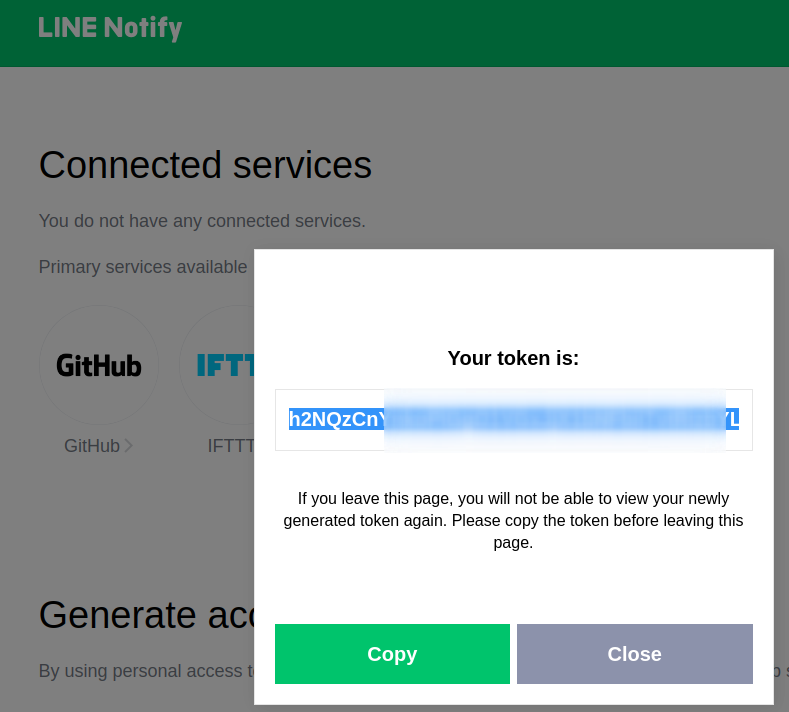
this access token will be used in [LineNotifier](https://github.com/TW-NCHC/LineNotifier) later.
### Step 5. Git Clone FSRO test code and modify code.
```
git clone https://github.com/TW-NCHC/LineNotifier
```
for testing FSRO event w/ LineNotifier, source [code is here](https://github.com/TW-NCHC/LineNotifier/blob/master/FSRO_monitor.sh).
```bash=
#!/bin/bash
FS_TEST=/home/ubuntu/foobar
TWCC_PROJ_CODE={{PUT_YOUR_TWCC_PROJECT_CODE}}
TWCC_RES_ID={{PUT_YOUR_RESOURCE_ID_HERE}}
CMD_TOUCH=/bin/touch
CMD_LS=/bin/ls
CMD_RM=/bin/rm
CMD_CURL=/usr/bin/curl
LINE_TOKEN={{PUT_YOUR_LINE_TOKEN_HERE}}
function line
{
STD_MESG=$(cat << END_HEREDOC
[PROJ_CODE] $TWCC_PROJ_CODE, in $TWCC_RES_ID
>>> $1
END_HEREDOC
)
echo $STD_MESG
$CMD_CURL -X POST \
https://notify-api.line.me/api/notify \
-H "Authorization: Bearer $LINE_TOKEN" \
-d "message=$STD_MESG" \
-d "stickerPackageId=1" \
-d "stickerId=3"
}
$CMD_TOUCH $FS_TEST || line "touch failed"
$CMD_LS -al $FS_TEST || line "ls failed"
$CMD_RM -f $FS_TEST || line "rm failed"
```
some parameter need to be set:
- {{PUT_YOUR_LINE_TOKEN_HERE}}, required!!
- {{PUT_YOUR_TWCC_PROJECT_CODE}}, optional
- {{PUT_YOUR_RESOURCE_ID_HERE}}, optional
also `$STD_MESG` and `$FS_TEST` can be changed and desinged for you own purpose.
### Step 6. Test Your Code
If `$FS_TEST` destination can not be tested, it will send a notification to Line, and console will show as following:

and the notification will show message in console without line notification, like this
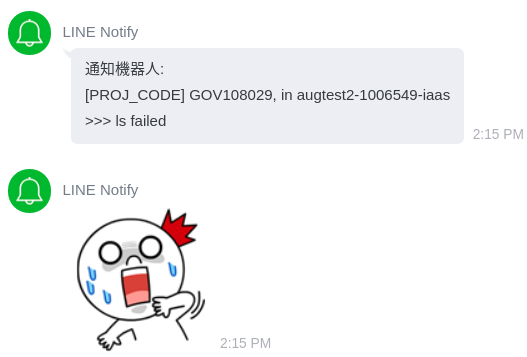
In normal situation, it will go smoothly like this:

### Step 7. Contab job
You can use tools like [crontab guru](https://crontab.guru/) to configure desired time interval for FSRO testing.
After your choose your time settings for test-case, just `crontab -e` put `./FSRO_monitor.sh` for excution.
## More Info: LINE notify limitation
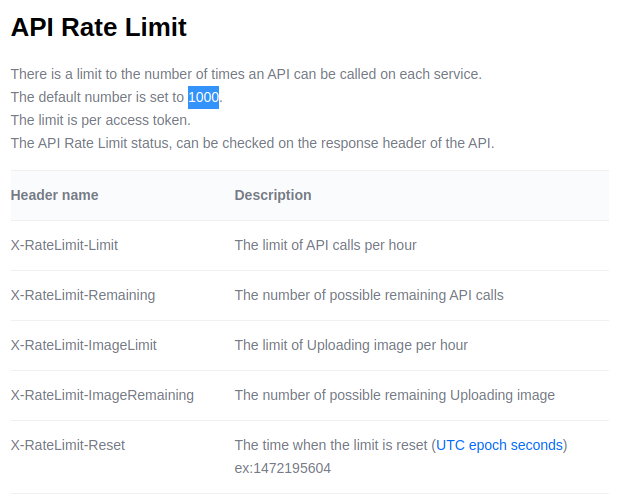
## Additional Support
Please leave any message regarding to this document in [Github Issue](https://github.com/TW-NCHC/LineNotifier/issues/new), helper will on their way!